- Company
- SGS (via CodeMode)
- Role
- Lead PM, Designer & Researcher
- Period
- 2020
Redesigning the PM experience for global printing
Southern Graphics Systems (SGS) bespoke ERP, MySGS, had become a patchwork of workarounds for 95% of users. I led product strategy, research, and design to rebuild navigation, the PM dashboard, and order entry, leading to improved productivity.
- Task success
- +31%
- Skipped tasks
- −13.5%
- Avg. time saved on core tasks
- 2s
- Target savings on simple tasks
- 5s
Led redesign of SGS's PM experience to reduce non-value-added labor in daily operational work.
Focused on dashboard, navigation, and order-entry flows where friction and workaround behavior were highest.
Before / After
Before: PMs relied on fragmented trackers and dense legacy surfaces.
After: next-gen dashboard and task flows improved success and reduced skipped actions.
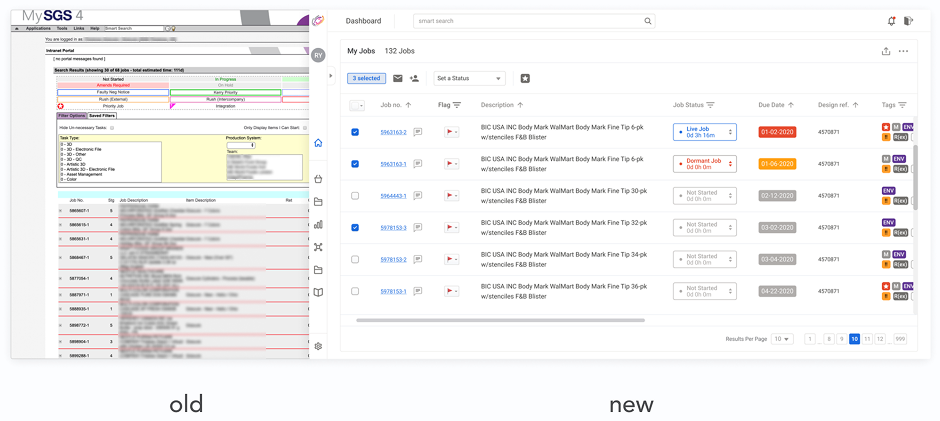 Before and after: legacy MySGS job surface versus the next-gen dashboard direction
Problem + Impact
Users spent most of their day in project management workflows, but legacy UX pushed them into workarounds and repeated validation loops. Research confirmed this as the highest leverage area for reducing wasted time.
- +31% task success
- -13.5% skipped tasks
- 2s average time saved on core tasks
- 5s target savings on simple tasks
Rapid-fire highlights
Information accuracy
Sheets, notes, docs — parallel “sources of truth” when the system felt unreliable.
File management
OneDrive, Box, Dragonfly, local storage — chasing the latest file outside MySGS.
Communication
Notes and paper — especially for coordinating with operators on the print floor.
Time management
Calendars, reminders, email — tracking follow-ups the ERP didn’t surface clearly.
Workarounds clustered around accuracy, file coordination, communication, and time management.
Project management — where PMs spent most productive time after a deal was won — became the anchor for scope.
Six friction areas were mapped, with project management identified as the highest-impact intervention point.
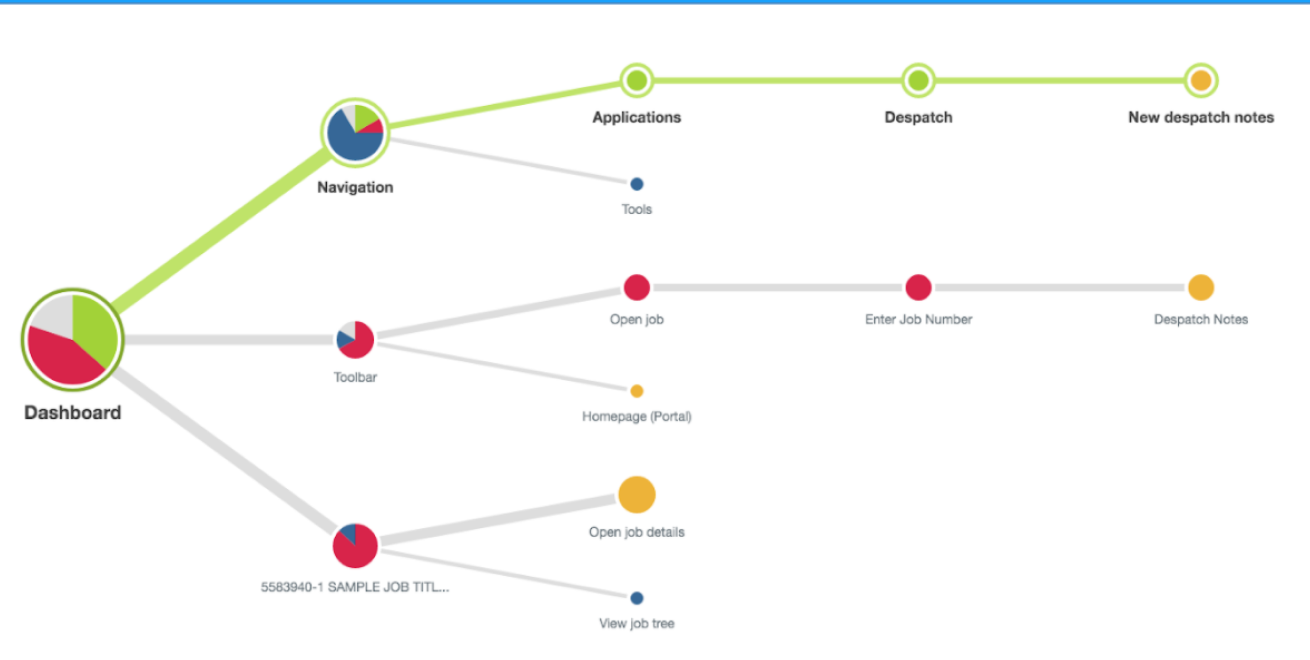 Tree test: where people expected to go from the dashboard for common jobs.
Navigation structure was iterated through tree tests before UI polish.
Tree test: where people expected to go from the dashboard for common jobs.
Navigation structure was iterated through tree tests before UI polish.
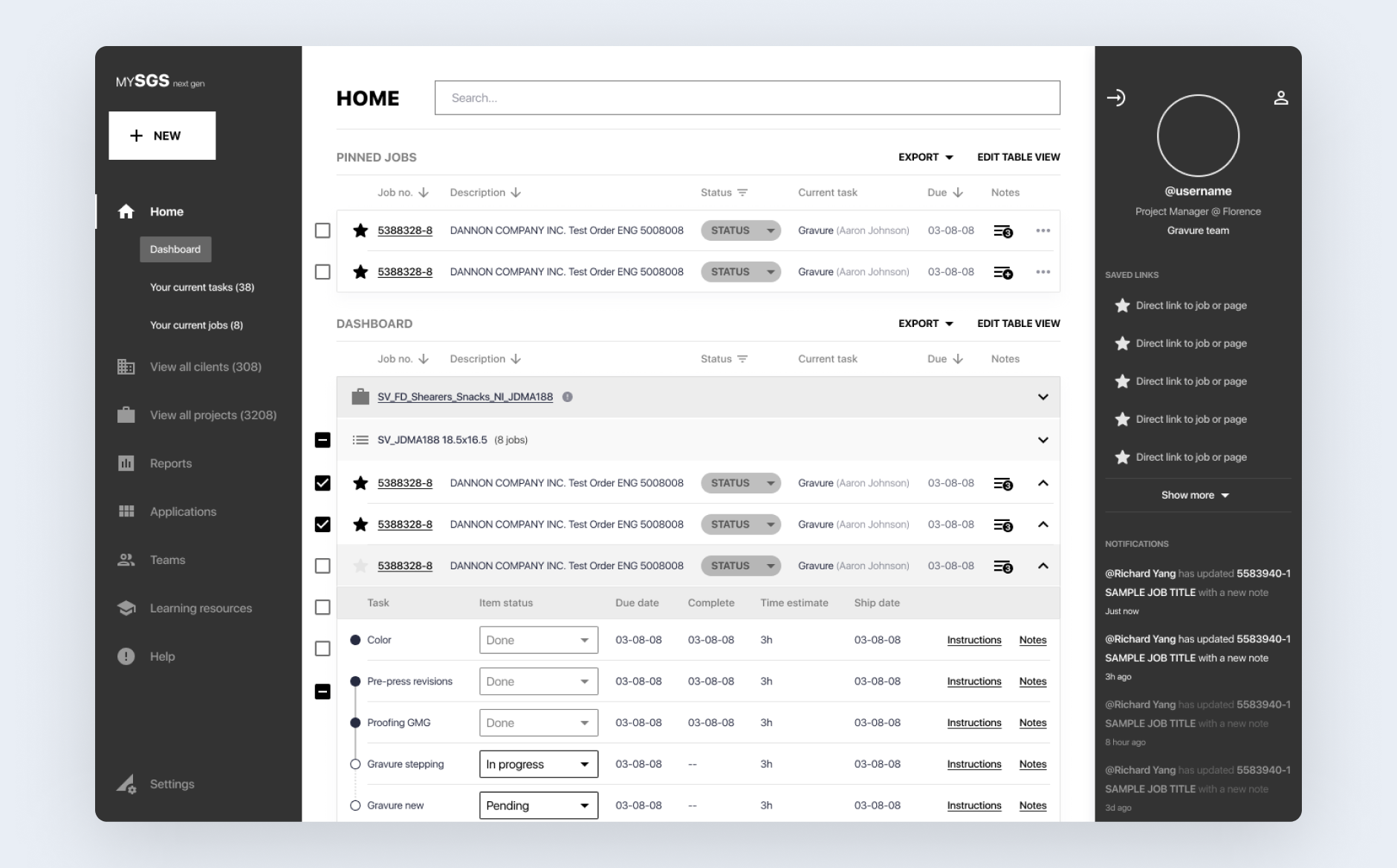
Next-gen home — annotated callouts for the core dashboard loop we usability-tested with PMs.
Next-gen dashboard balanced PM density needs with clearer task and job orientation.
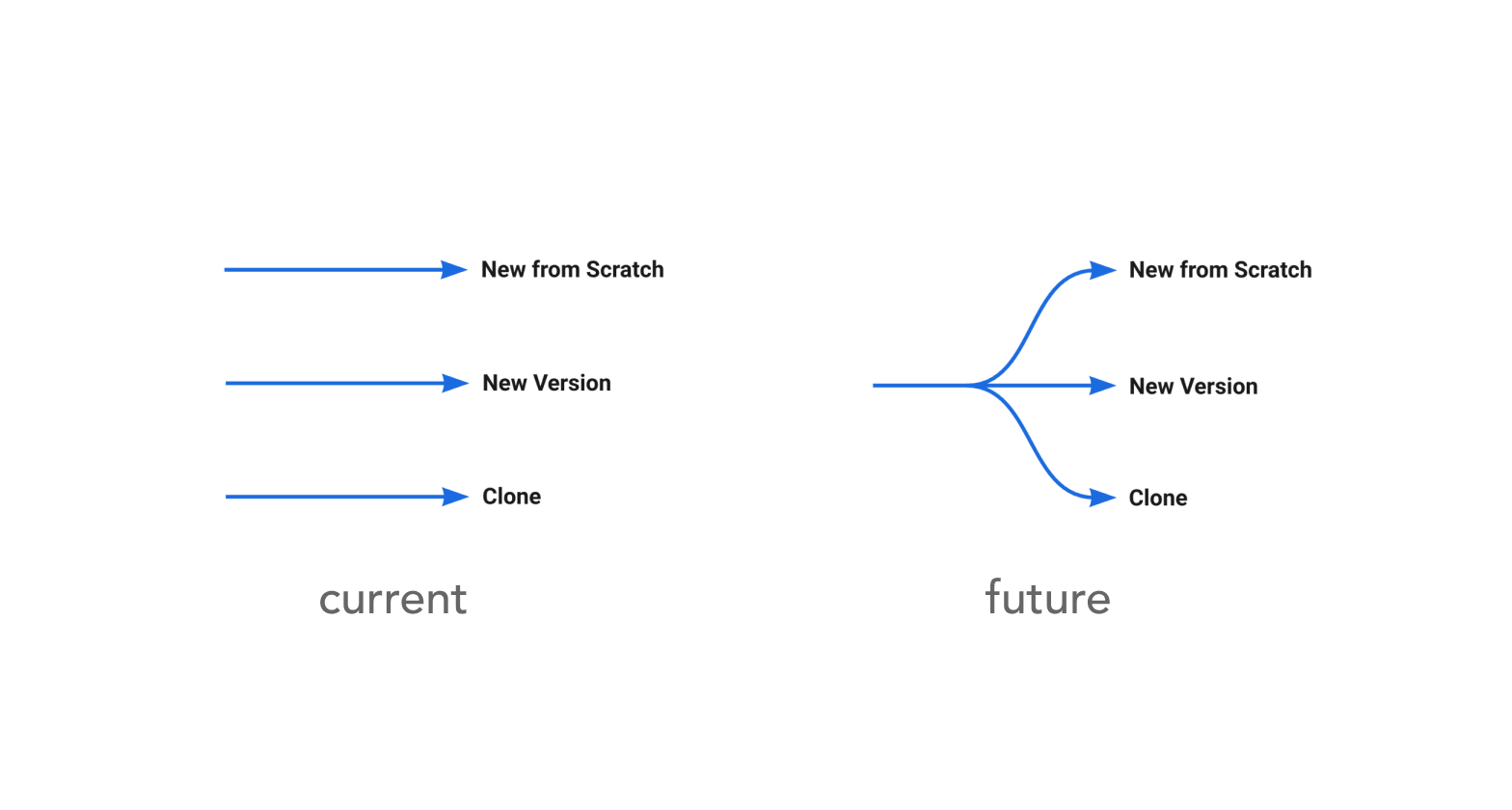 Late branching: unified entry versus three upfront paths — before and after.
Order-entry branching moved later so users could start faster and decide path only when needed.
Late branching: unified entry versus three upfront paths — before and after.
Order-entry branching moved later so users could start faster and decide path only when needed.
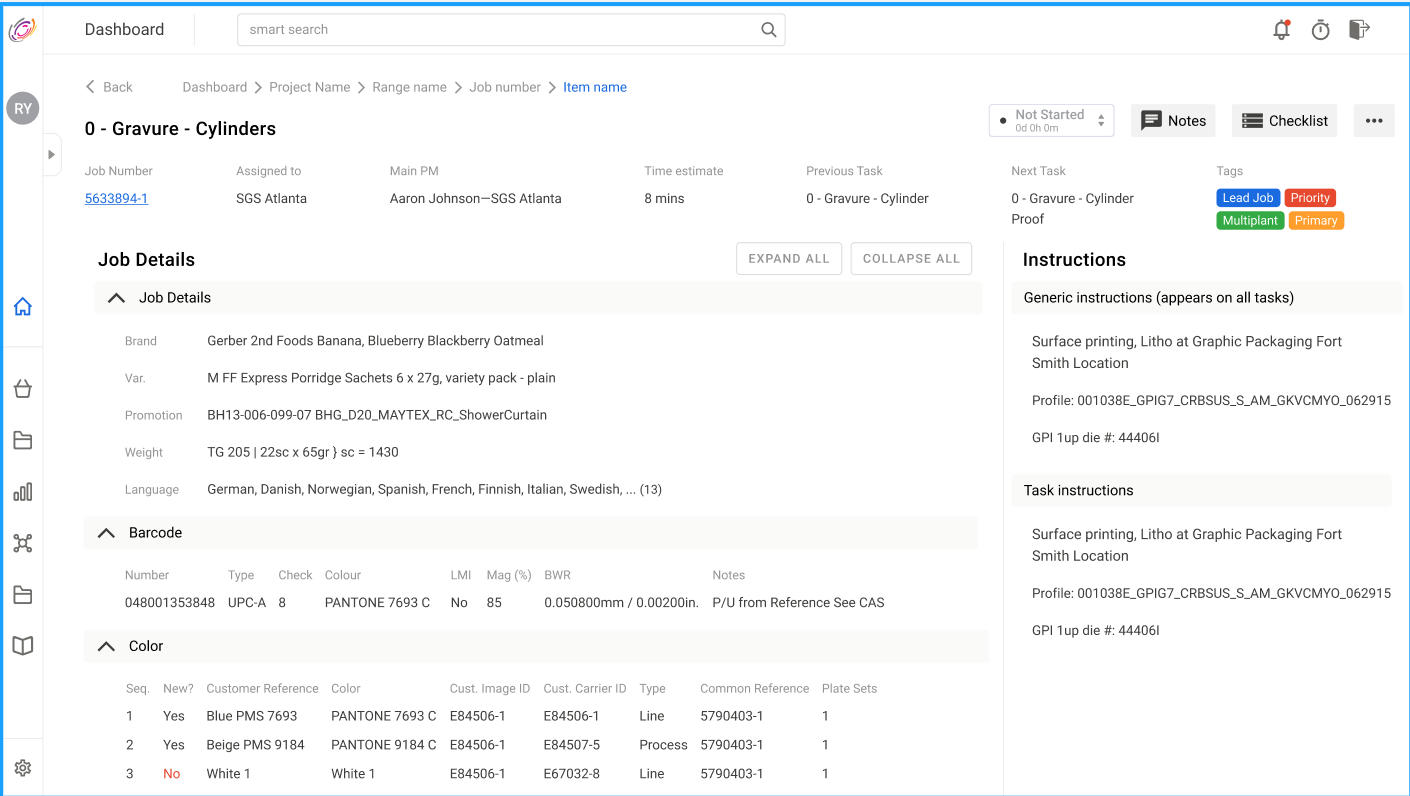 Operator task screen with specific job execution details.
Operator-specific views reduced scanning load by prioritizing execution detail over broad PM context.
Operator task screen with specific job execution details.
Operator-specific views reduced scanning load by prioritizing execution detail over broad PM context.
Human-in-the-loop workflow architecture
Role-specific UX preserved human verification in high-stakes operational flows instead of over-automation.
Progressive branching over upfront complexity
Labels at the fork explain when to use each path — reducing “different but same” confusion from the legacy ERP.
Decision paths were delayed until necessary, reducing cognitive load and improving task flow.
Error-state handling through visibility and reference aids
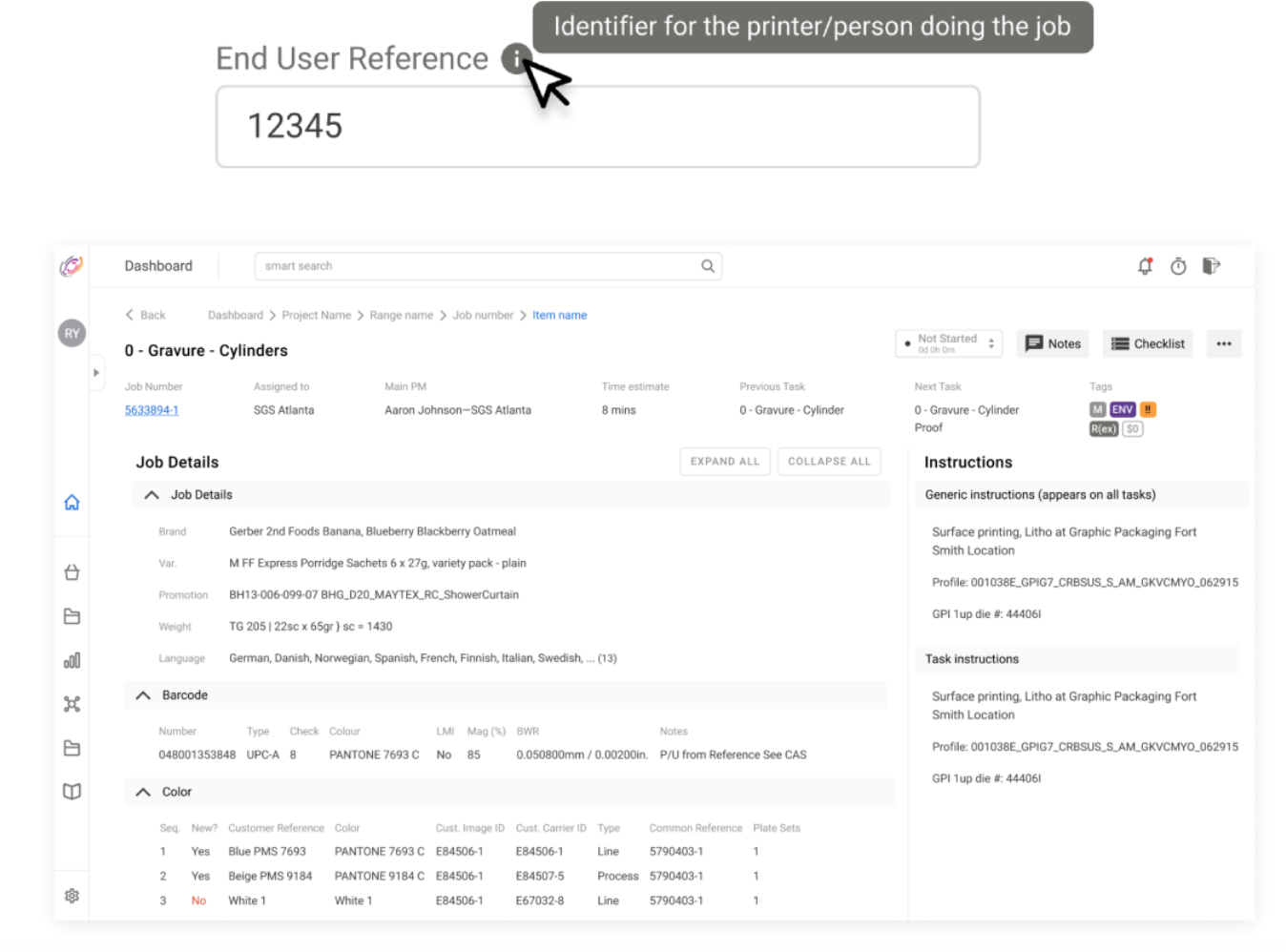 Tooltips and inline reference copy on dense job records — supporting safe exploration without SOPs.
Inline references and clearer structure reduced risky guesswork in dense records.
Tooltips and inline reference copy on dense job records — supporting safe exploration without SOPs.
Inline references and clearer structure reduced risky guesswork in dense records.
Low-fi exploration before high-fidelity convergence
Low-fi exploration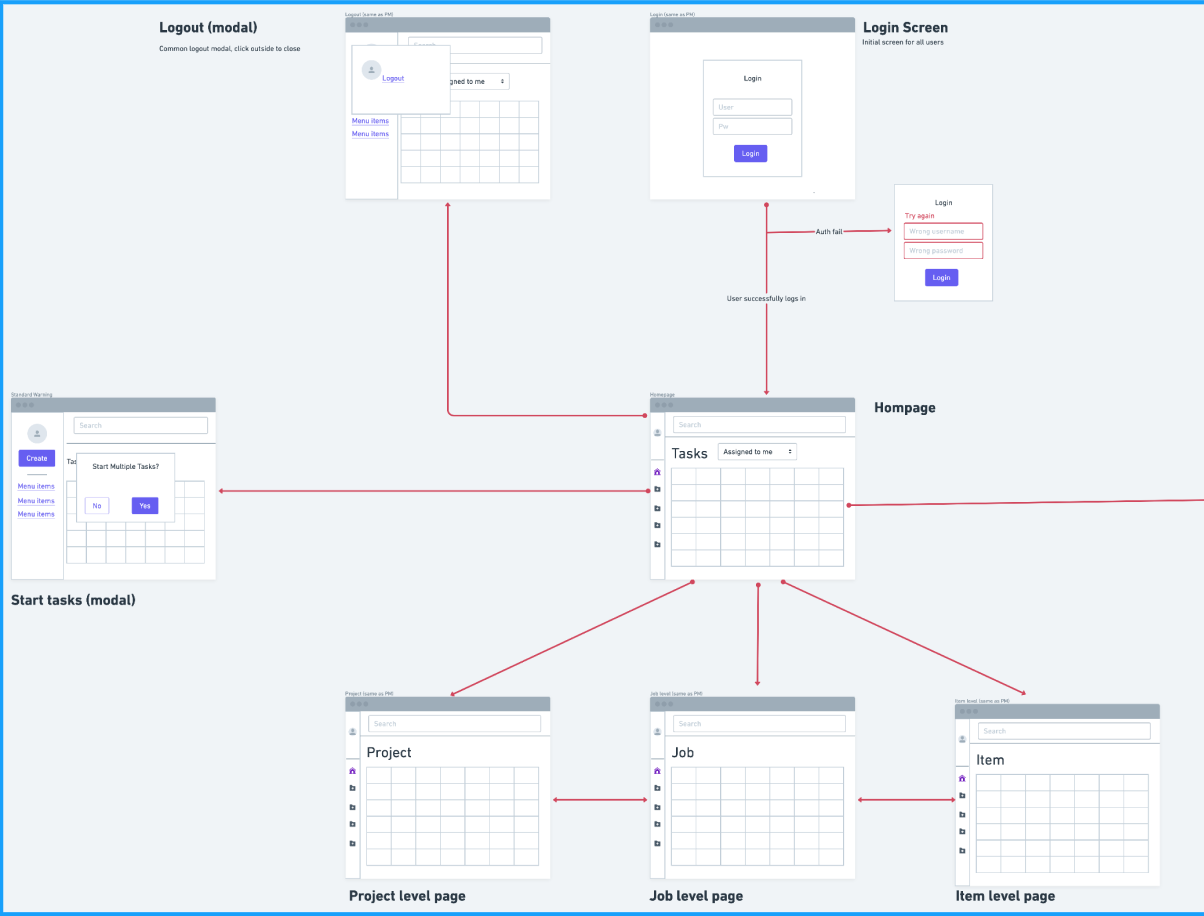 Low-fi hierarchy — project, job, item — testing wayfinding before visual polish.
Early structure tests validated hierarchy and flow before visual refinement.
Low-fi hierarchy — project, job, item — testing wayfinding before visual polish.
Early structure tests validated hierarchy and flow before visual refinement.
Assist-then-decide operating model
The system direction favored support and auditability over black-box automation.
Reflection
This project reinforced that enterprise UX quality is often won through structured research, workflow clarity, and role-specific decision support rather than visual novelty alone. The most valuable shifts came from letting data and user behavior define where to simplify and where to preserve control.